As more of our audience joins the running boom that’s currently sweeping the world, we often get sent this question (or a variation of it): Can I use my Apple Watch for running, or do I need to buy a GPS running watch like a Garmin or Coros?
It’s a fair question, especially since the marketing done by Garmin, Coros, Polar, and Suunto would lead you to believe that the Apple Watch is not at feature parity. But that marketing doesn’t tell the whole story.
As a TLDR for those inclined to skim through this article and all its helpful info… YES, you can use your Apple Watch for running and enjoy all the features that define a modern GPS running watch. Just get out there and use the Apple Watch you already own. You’ll likely get way more value…especially when you’re just starting out.
Are there some features the more running/outdoor-adventure-centric running watch brands do better? Yes. But one of the attractions of running is that it’s a low-cost way to get outside and exercise. It can be fun to buy new gear for your sport…but let’s be honest, it’s much more fun to buy new shoes than a GPS watch.
In this article, I’m going to walk through all the features you need or might want to consider in a good running watch and explain if the Apple Watch and Apple Watch Ultra are able to deliver them. I’ll also point out some areas for improvement and the tiny set of use cases where the Apple Watch isn’t the best choice.
Accurate GPS Tracking
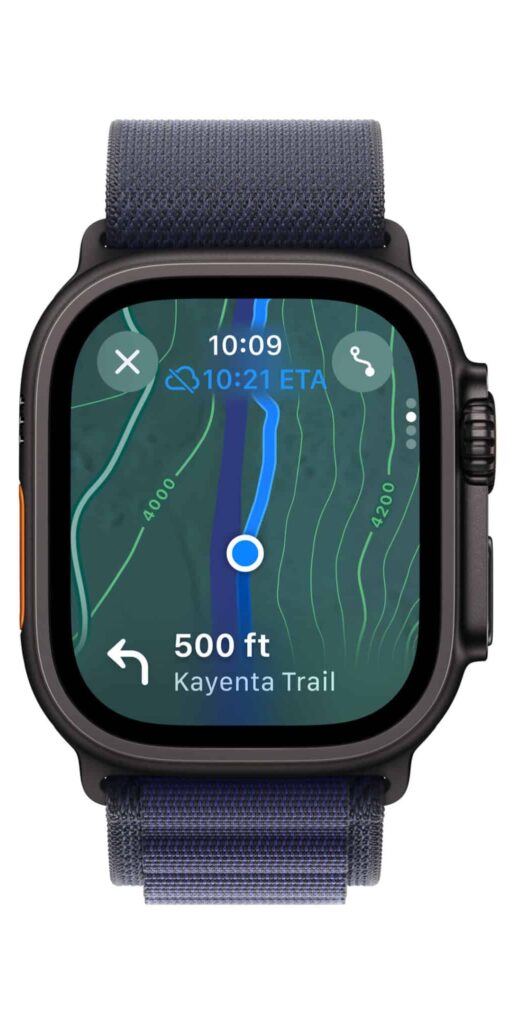
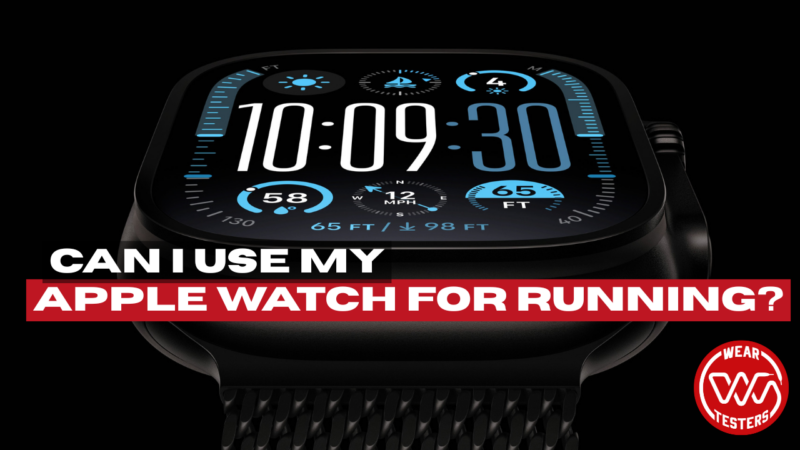
All Apple Watches have built-in GPS and accuracy that compares favorably with that of its competitors. Apple Watch Series 9 and Apple Watch SE have single-band GPS while the Apple Watch Ultra 2 has dual-band GPS.
Dual-band GPS, also known as multi-band GPS or dual-frequency GPS, gives the watch the ability to receive and process satellite signals on two different frequency bands simultaneously. This improves signal penetration and reliability, provides faster satellite acquisition, enhances reliability in challenging environments like cities with tall buildings, dense forests, and canyons, and improves overall accuracy.
I’d expect most Apple Watches to get dual-band GPS soon. Some of the lower-priced offerings from competitors are, and Apple is never far behind. But most runners only really need single-band GPS. It’s accurate enough to capture the majority of non-wilderness routes with little deviation. And the deviations are small enough that they won’t affect distance by much (rarely hitting even a tenth of a mile).
For the most accurate GPS tracking from Apple, you’ll need to grab the Apple Watch Ultra 2. But if you’ve got any Apple Watch starting with Series 3, your GPS accuracy will be at a high level.
Heart Rate Monitoring
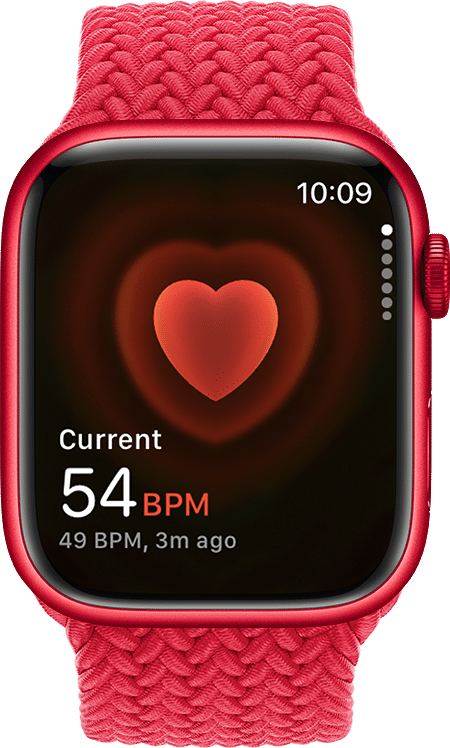
The Apple Watch’s heart rate sensor is accurate enough for most runners. The most accurate heart rate monitoring is done via chest strap (which you can use with Apple Watch and any other running watch), but the wrist-based HR sensor on Apple Watch and other GPS watches is accurate enough to be useful when determining workout effort. Most new Apple Watch models (Series 8, 9, Ultra) also include VO₂ max estimates and heart rate zone tracking.
I’ve actually found the Apple Watch HR monitoring to feel more in line with how I feel during a run. I’ve also never gotten “cadence lock,” a phenomenon where the device taking your HR via a wrist reading starts instead providing your step cadence. The Apple Watch tends to filter that out before it starts.
Will your heart rate readings be exactly the same as other wrist-based devices? No. But they’ll be as accurate as possible for reading the HR via a watch (of any kind). More traditional running watch brands don’t have any edge in wrist-based heart rate accuracy.
Workout App
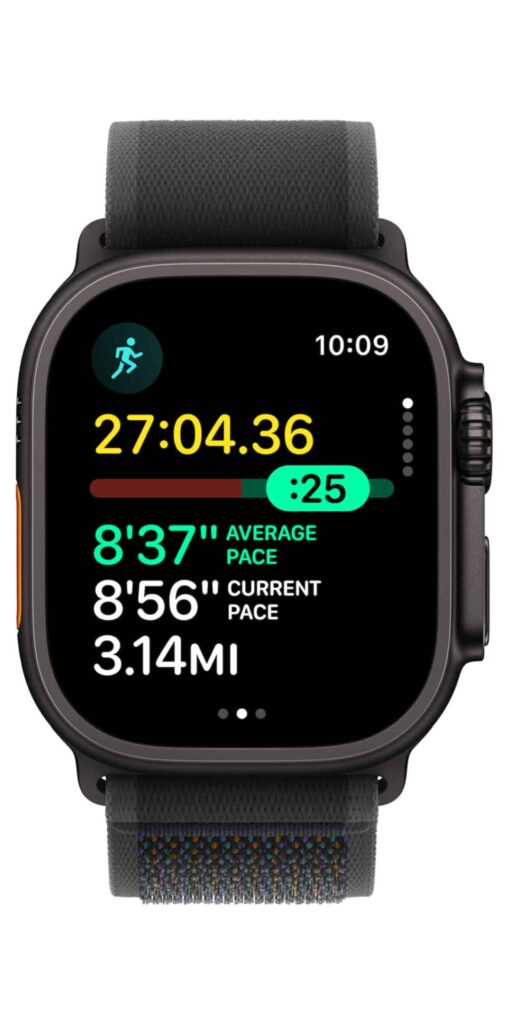
The Apple Watch delivers a built-in app to capture your workouts. Running, hiking, cycling, swimming, basketball, pickleball, and more are all there as pre-loaded activities. The list of activities is more robust than what you’d find on a typical GPS running watch. There’s also a track mode available to better align the GPS line to your local track. This was a coveted GPS watch feature that made it to the Apple Watch with the introduction of the original Apple Watch Ultra.
And while you may have heard that the native Workout app isn’t compatible with a lot of third party tools, that’s no longer the case. It integrates with Strava, Nike Run Club, Training Peaks, and a lot more. If you prefer uploading your workouts to a different platform, the Apple Watch more than likely has you covered at this point.
The Workout app also features a ton of running metrics and infinite ways to display them while you run. The Apple Watch Ultra features even more niche metrics like Vertical Oscillation, Stride Length, Ground Contact Time, and Power to match the best running watches. Even if you’re the biggest running data nerd around, it’s got the information you need to see. Plus, the square screen makes it easier to see all that data versus competitors that use round screens.
Streaming Music and Podcasts
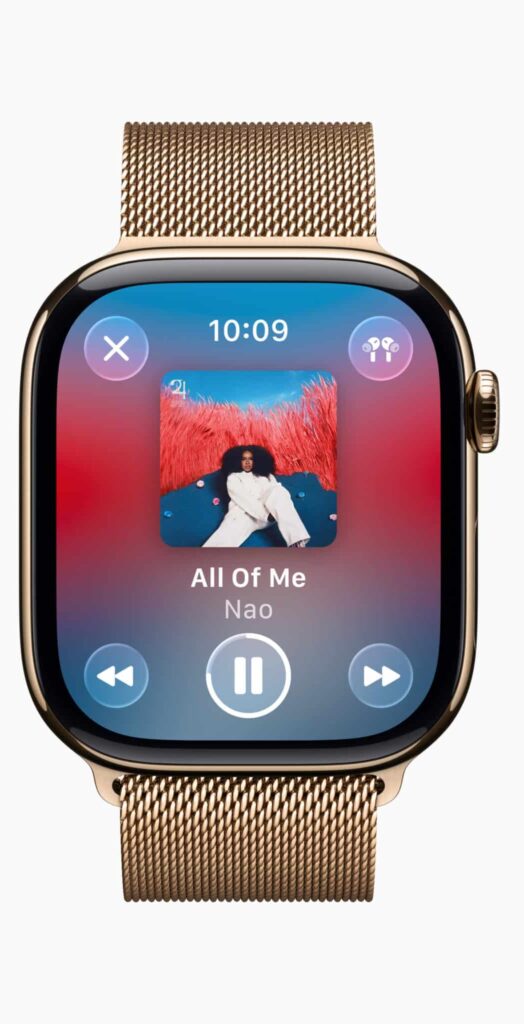
This is one area where the Apple Watch (Ultra or otherwise) is far and away the best pick. If you want to stream or play downloaded music and podcasts without your phone, this is the only running watch that can get it done without jumping through hoops.
Whether you turn on cellular service for your Apple Watch and stream what you want on the run or whether you download podcasts or music to apps such as Overcast or Spotify, playing music from the watch to a pair of headphones (AirPods have the spiffiest integration, but your preferred bluetooth headphone will work) is close to a seamless experience. There are occasional bugs, but for the most part this functions as you’d expect from an Apple product. And more importantly, the experience is 100x better than with Garmin and Coros.
Screen Size and Resolution
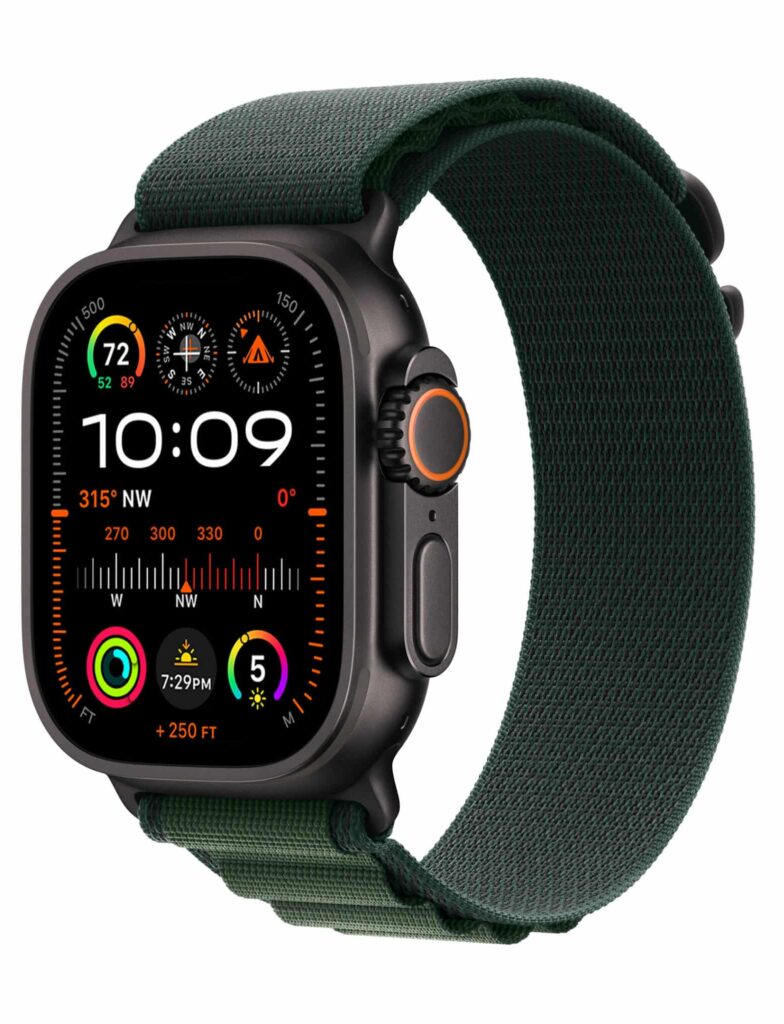
Again we’re in another area where the Apple Watch is lapping the competitors. In recent years, both Garmin and Coros have introduced AMOLED screens on their higher-end watches. Those screens are a huge improvement over the pixelated screens they used to have, but they’re still not as crisp and clear as the Apple Watch.
If you currently use an Apple Watch, you’ll have to spend between $350-$600 to get a GPS running watch with a screen that won’t feel like a huge downgrade from your Apple Watch. It’ll still feel like a downgrade, but not a huge one.
The fact of the matter is that nice screens spoil us even when we don’t realize it, and Apple has a huge head start by owning a supply chain built to produce high-quality screens with high-end resolutions.
Plus, as noted above, the square shape works better as a modern interface and allows more data to be shown on the screen at all times. Do you really need the extra data? No. But the font size is larger and more legible, which is the more important thing when glancing down at your watch while on a run.
Safety Features
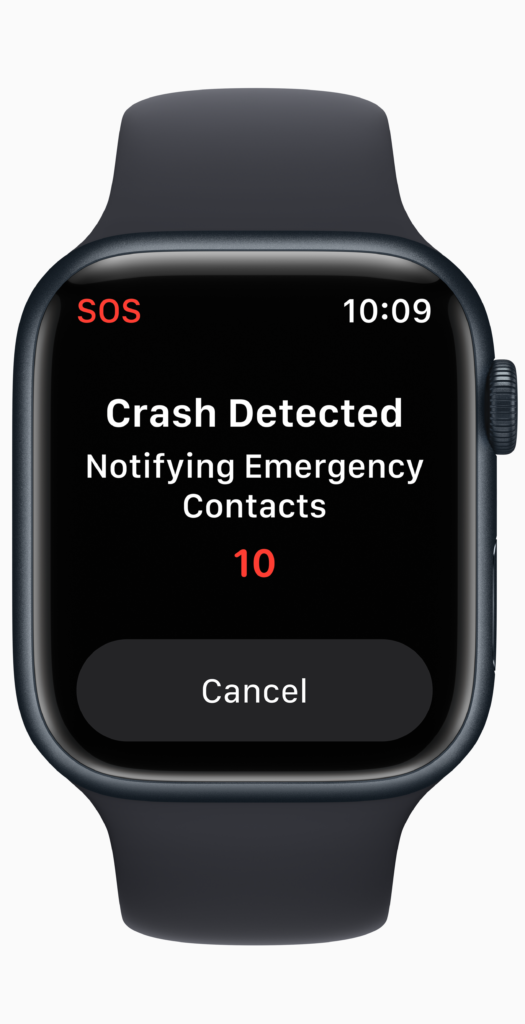
The Apple Watch brings Fall Detection, Emergency SOS, and Backtrack (starting with Apple Watch Ultra and Series 9). There’s also satellite-connected emergency texting if you have an iPhone with you.
Basically, if you’re on roads or trails alone and need emergency options just in case, the Apple Watch (and iPhone) offers a well-rounded set that is more robust than anything offered by its GPS running watch competition.
Customization
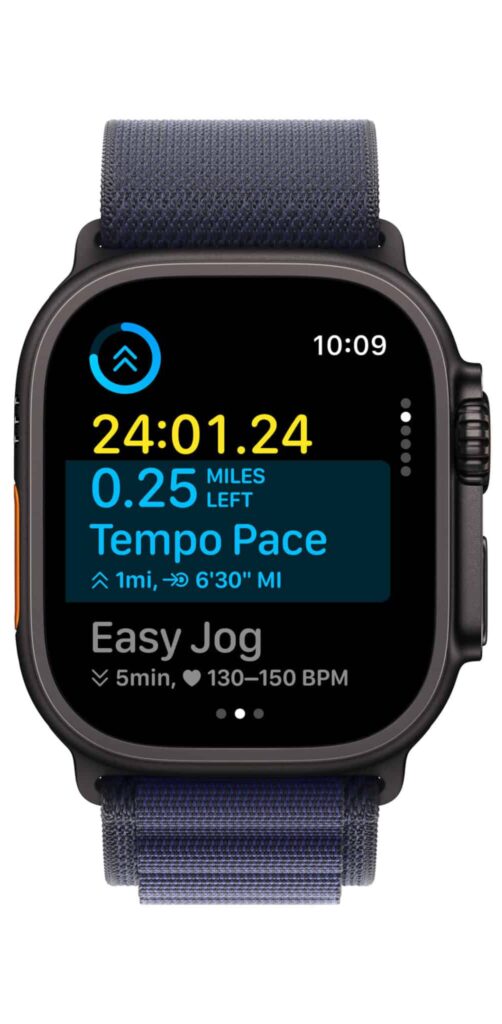
The Workout app on the Apple Watch allows you to customize workouts. Two-mile warmup, followed by 10 x 400m, with a two-mile cooldown? No problem. It’ll take a few minutes to program it prior to starting the session, but you’ll be on your way quickly.
This is nothing the competition doesn’t also have, but the bottomline is that the customization is nearly at parity. The competition does, however, have the added benefit of being able to program those workouts via not only the watch but also via an app (versus just on the watch with Apple…which is the most inconvenient thing about the Apple Watch outside of battery life concerns). But I’d bet Apple will bring workout programming to the Watch app on the phone fairly soon. The company knows it’s behind in that aspect.
If you have a running coach that uses Training Peaks or VDOT, or if you use the AI coaching app Runna, those workouts will import to your phone with no customization needed. All GPS watches also have this feature, and some runners who aren’t familiar with the current Apple Watch software may not be aware that the Apple Watch can do this. But it’s been able to since the launch of the Apple Watch Ultra and has been reliable from the beginning.
Apple also has cool features like Pacer that allow you to choose a distance, a target finish time, and see the required pace you need to sustain to achieve it. During the run, pace alerts will help keep you in the right range. This feature is available on all running watches, but it feels just a touch slicker on the Apple Watch.
But there is one type of Pacer feature the Apple Watch has that is unique. It’s called Race Route. Routes that you repeat are reflected in the Workout app so you can race against your last or best result. As with Pacer, you’ll receive alerts for being ahead or behind and alerts when you go off-route. This is a fantastic feature for reviewing your progress without having to, you know, sign up for an actual race.
Battery Life
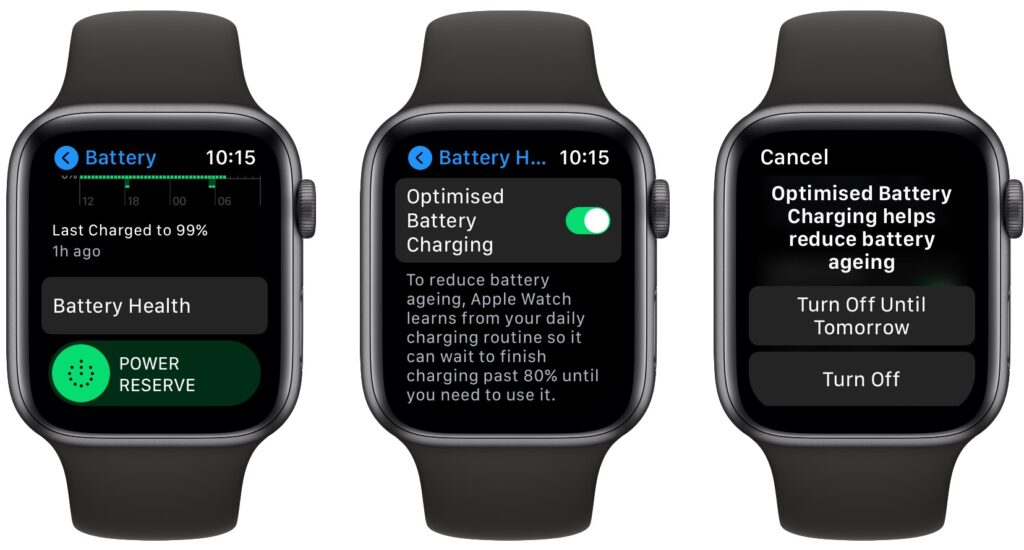
This is the area where the Apple Watch is behind the competition. The Apple Watch Ultra 2 gets 36-72 hours of battery life, and the Apple Watch Series 9 gets around 18 hours. Coros and Garmin models get a minimum of 4-5 days even with their new AMOLED screens. I typically find myself getting 8-10 days of regular use. The models with the lesser screens can get up to 21-ish days.
So if your running involves camping or multiple nights away from a charger, the Apple Watch simply won’t be the best option. In that case, we recommend the Coros Pace Pro or Garmin 570, 970, or Fenix 8. Though similarly priced to various Apple Watch options, they’ll just fit your activity profile better.
But if your daily runs or hikes are five hours or less, and you can return your watch to a charger while working at a desk or while sleeping, then the Apple Watch battery will suffice.
Sleep Metrics
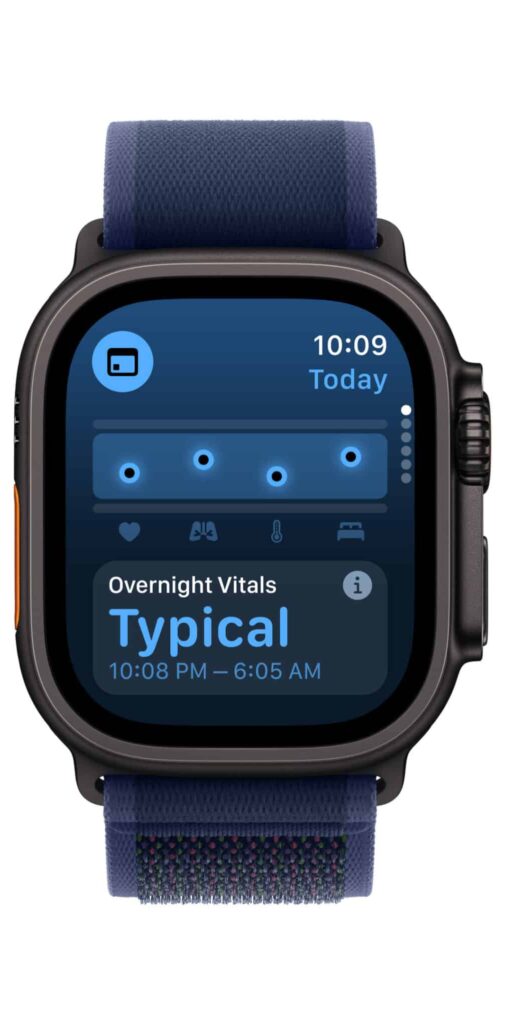
The Apple Watch’s sleep metrics are on par with those of Garmin and Coros. Whether you’re looking for hours slept, HRV, and more, the Apple Watch has those metrics available and an entire sleep menu where you can dig further into sleep quality.
Also, sneakily the best sleep-related feature is the way the alarm integrates with your iPhone and vibrates to wake you instead of using the auditory alarm from your phone. It’s a better way to wake up and comes in clutch to help your partner stay asleep while you get up for that early morning run.
Which is the best Apple Watch for running and why?
The Apple Watch Ultra 2 is our pick for the best Apple watch for running. With a ton of extra battery life versus the regular Apple Watch or Apple Watch SE, a bigger screen, dual-band GPS, included cellular coverage, various small extras, and a customizable physical action button (you can start a workout with one click), the Apple Watch Ultra 2 significantly separates itself from the normal Apple Watch Series 10 and justifies sitting at double the price.
That said, you may still have to consider the price. $400 to $800 is a big jump, and you may have other things you want to spend your money on (like shoes – did we mention shoes?). The other benefit of choosing the regular Apple Watch is weight. The regular Apple Watch is 40% lighter than the Ultra (which is also only available in a single, 49mm case size). That’s a big jump from the Apple Watch Series 10’s 42mm and 46mm options, especially if you’re a small runner with smaller wrists.
So if pricing or weight/size are your most important factors, go with the regular Apple Watch.
Apple Watch + Running = a Great Match
The Apple Watch (in all its versions) is more than enough for most runners, especially those who also want a smartwatch for everyday use. It probably even fits your daily life better because of its tight integration with the iPhone and Mac.
For serious long-distance runners, trail runners, or hikers who need days of battery life to support extended adventures, a dedicated GPS running watch (like a Garmin or Coros) will be better. But for most runners, the Apple Watch of their choice includes all the necessary sensors, metrics, maps, connectivity, and customization necessary to support their running journey.
How does the Author Run?
Drew Whitcomb (age 43, 6’6″ 200lbs): Runs daily with a once a week rest day. Runs a lot of miles due to testing needs and a growing affinity for long-distance races. Regularly competes in marathons, half-marathons, 10k, and 5k races.
Disclosure
While Apple did provide an Apple Watch Ultra 2 to facilitate this review, the company had no involvement in this review, didn’t receive an advance look at it, and has not attempted to influence it.